
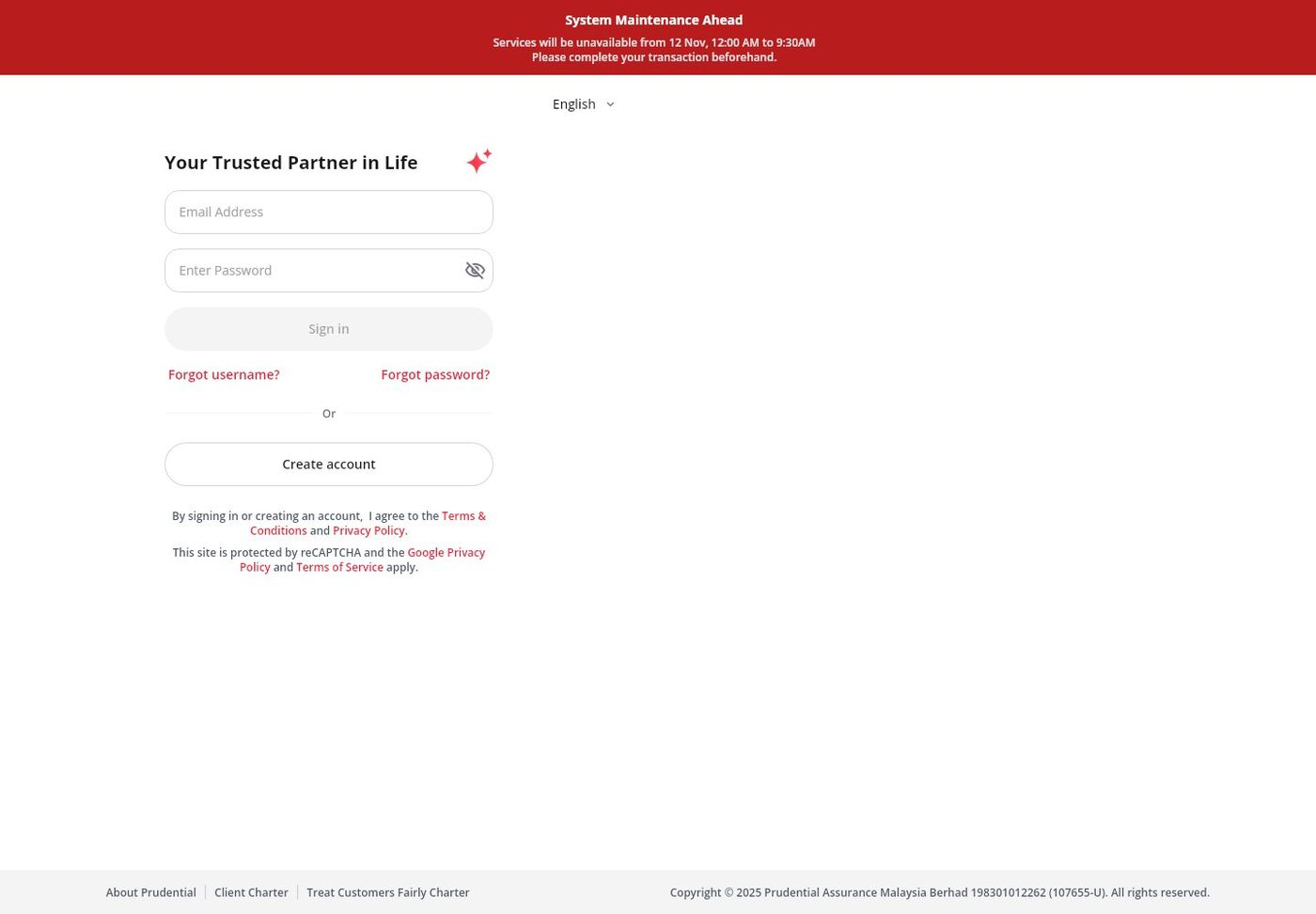
Checked 10 November 2026: the former Pulse landing page displays a relocation notice directing customers to PRUServices. The current public login screen provides email and password fields. Details below follow Prudential Malaysia's official PRUServices page and FAQ.
To log in, go to pruservices.prudential.com.my and sign in with your email address and password. Prudential then emails you a one-time password (OTP) that you enter to finish signing in. New users click "Create account", key in their NRIC or Passport/Others number to link their policies, then create the email login and set a password. Existing PRUServices users do not need a new account after the upgrade. Their current email and password still work.
PRUAccess and PRUAccess Plus were earlier names for Prudential Malaysia's online customer portal. The service is now called PRUServices, Prudential's upgraded, mobile-friendly platform for policies, payments, claims and healthcare services.
What Is PRUAccess?
PRUAccess was Prudential Malaysia's self-service portal, and PRUServices is its current form. It is run by Prudential Assurance Malaysia Berhad (PAMB) and is available in English, Bahasa Malaysia and Chinese.
Only the policyholder (Assured) can create an account and link policies. A Person Covered (Life Assured) cannot create an account with their own NRIC or passport. So if a parent owns a policy covering a child, the parent logs in, not the child.
How to Login PRUAccess?
- Visit pruservices.prudential.com.my.
- Sign in using your email address and password.
- Retrieve the OTP from the sign-in email and enter it.
Prudential describes this as two-step verification (password plus OTP). You cannot log in without an email address, because the email is your username.
What Are the Steps to Register for PRUAccess?
- Visit pruservices.prudential.com.my and click "Create account".
- Key in your NRIC or Passport/Others number to link your policies.
- Create the email account and set your password.
Policy linking is verified with an OTP sent to the mobile number or email that Prudential already has on record. Any email address can be used as your login, including one already used for a Prudential account outside Malaysia. If you recently changed your mobile number or email through an agent or customer service, Prudential says to do the policy linkage the next day.
What Are the Login Requirements for PRUAccess?
You need an email address, a password and the emailed OTP. Passwords must be:
- 8 to 16 characters long
- at least 1 number
- both uppercase and lowercase letters
- at least 1 special character from
.!@#$%^&*
Minimum supported versions listed by Prudential: Android version 24 and above and iOS 13 and above for mobile browsers. On a PC: macOS 10.15, Microsoft Edge 141, Google Chrome 141, Mozilla Firefox 143 and Safari 15.6, or newer.
How to Reset a Forgotten PRUAccess Password?
- On the login page, click "Forgot password".
- Enter your username email address and date of birth, then click "Continue".
- Enter the OTP sent to your username email.
- Set a new password that follows the rules above.
Forgot which email you used? Click "Forgot Username", enter your NRIC or passport number, click "Continue" and enter the OTP sent to your registered mobile number. Your login email is then displayed, and "Back to Sign In" returns you to the login page.
What Features Are Available in PRUAccess?
- Profile: change mobile number, email, contacts, residential and correspondence address, occupation details, marketing consent and payout account.
- Payments: premiums (including Auto Revival within 60 days, renewal, Automatic Premium Loan, policy loan and advance payment), plus endorsement, revival, single premium top-up and policy document reprint. You can also pay for family members' policies and sign up for auto deduction.
- Claims and health: submit and track medical reimbursement claims, view the e-Medical card and find panel healthcare providers. Prudential estimates claim processing at 14 working days after the complete documents are received.
- No Claims Benefit: up to RM1,000 a year for healthcare services when no claims are made. This applies to medical booster customers only.
- Funds and documents: view funds, e-policies, statements and e-Invoices, income tax statements, letters and e-receipts.
e-Policies and the change-of-policy-details slip are only available for PAMB policies issued from July 2016 onwards.
How to Make Payments Through PRUAccess?
For a one-time payment, PRUServices accepts Visa/Mastercard credit or debit cards, online banking (FPX) and e-wallets such as Boost and Touch 'n Go. American Express is not accepted. Credit cards from local or foreign banks work, but debit cards must be issued by a local bank. Auto deduction only accepts Visa or Mastercard. Saving a card during payment does not enrol you in auto deduction.
Premiums can be paid in advance for up to 12 months. If the policy has an outstanding Automatic Premium Loan, clear the outstanding amount and the current premium first. Payments made before 10pm are reflected in PRUServices within 1 working day, and those after 10pm within 2 working days. The e-receipt can be downloaded under Documents > Receipts.
How to Update Personal Details in PRUAccess?
Go to the Profile icon, or Popular services > Change personal details. To change the account that receives payouts, use Profile > Payment Settings > Payout Method, Payments > Change Payout Account, or Popular Services > Change Payout Account. Prudential sends an SMS and email after a successful payout account change.
Foreign bank accounts are not accepted for payouts. The account must be with a financial institution in Malaysia that supports MEPS and Interbank Giro (IBG).
What Security Measures Does PRUAccess Have?
- Two-step sign-in: password plus an emailed OTP.
- Lockout: after the 6th incorrect password or OTP attempt, the account is locked for 30 minutes.
- Inactivity logout: you are signed out after 15 minutes of inactivity.
Never share an OTP with anyone, including someone who says they are from Prudential. Always check that the address bar shows pruservices.prudential.com.my before entering your password.
How to Resolve PRUAccess Login Issues?
- OTP not received during policy linkage: confirm the mobile number or email is registered with Prudential. For SMS, check that short codes are not blocked on your phone, then tap resend OTP after the 120-second countdown.
- Locked out: wait 30 minutes before trying again.
- Wrong login email: use "Forgot Username" with your NRIC or passport.
- Browser problems: update to the minimum versions listed above.
If the problem continues, call Prudential Customer Service at +603 2771 0228.
Can PRUAccess Be Used for PruBSN Policies?
No. According to Prudential's FAQ, PRUServices by PAMB does not apply to PruBSN certificates. Manage PruBSN certificates through PruBSN's own channels.
For PAMB policies issued before July 2016, the e-Policy is not available in PRUServices. Prudential Customer Service is the channel for questions about those older documents.