
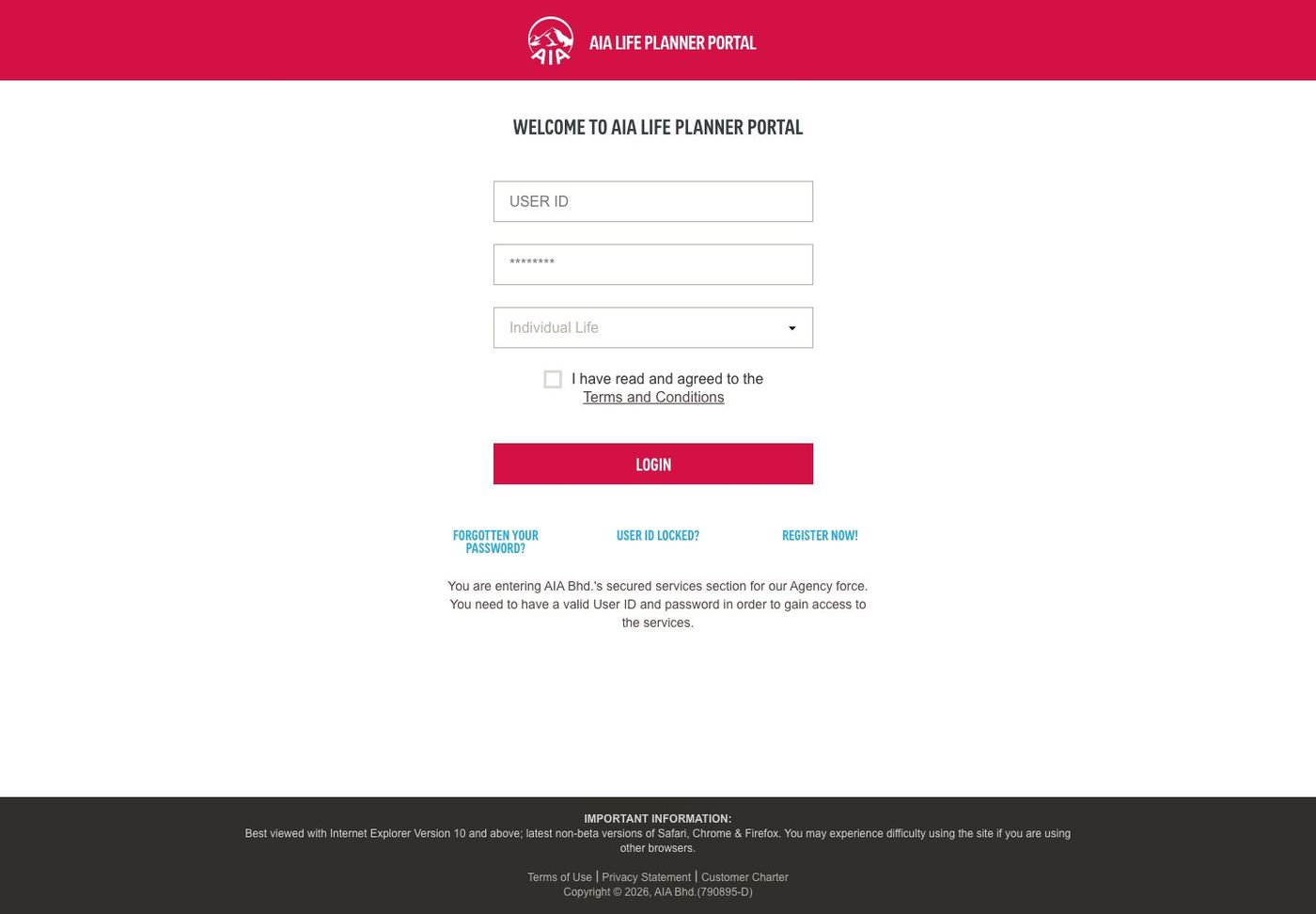
To login ALPP (AIA Life Planner Portal), visit the official portal at https://www.alpp.aia.com.my/, enter your User ID and password, select your insurance type (Individual Life, General Insurance, Personal Life Sales, Takaful, or Corporate Solutions), and click "Login." AIA redirects that address to the current login form at alpp.aia.com.my/LifePlannerPortalExisting/default.aspx. If you forget your password, use the "Forgotten Your Password" link to reset it. First-time users must register before logging in.
For mobile access, download the AIA Life Planner app from the Google Play Store or the Apple App Store. Log in using your Agent ID and password to manage your tasks on the go. The AIA Life Planner Portal (ALPP) is a secure online platform designed exclusively for AIA Malaysia’s life planners (insurance agents). It provides access to client portfolios, policy details, commission statements, training materials, and sales performance tracking tools.
What Is ALPP?
ALPP stands for AIA Life Planner Portal, a secure online platform provided by AIA Malaysia for its Life Planners (agents). It offers tools and resources to manage client portfolios, submit service requests, and access sales and training materials, enhancing efficiency and mobility for Life Planners. ALPP allows planners to manage their insurance business efficiently.
The platform offers real-time access to policyholder data, sales reports, and marketing resources. It supports multiple insurance types, including Individual Life, General Insurance, and Takaful. The portal is optimized for desktop and mobile use, with security measures such as password complexity requirements and automatic session timeouts.
How to Login ALPP?
To access the AIA Life Planner Portal (ALPP), visit the ALPP login page. Enter your AIA Agent ID and password to log in. If you're a new agent, you'll need to activate your account using the credentials provided by AIA Malaysia. For mobile access, download the AIA Life Planner app from the Google Play Store or the Apple App Store. Log in using your Agent ID and password to manage your tasks on the go.
What Are the Login Requirements for ALPP?
You need a valid User ID and password to log in to ALPP. The User ID is typically your Agent Code, assigned during registration. The password must meet security criteria, including a minimum length of 9 characters with at least 3 character types (uppercase, lowercase, numbers, or special symbols).
How Do I Register for ALPP as a New User?
New users must complete registration before logging in. Visit the registration page linked on the ALPP login portal and provide your Agent Code, full name, NRIC number, agency name, email, and contact number. After submission, you will receive login credentials. The Agent Code serves as your User ID once approved.
What Should I Do If I Forget My ALPP Password?
Use the "Forgotten Your Password" option on the login page to reset your password. You will need to verify your identity, often through email or security questions. Follow the instructions to create a new password that complies with ALPP’s security rules.
Why Is My ALPP User ID Locked?
Repeated incorrect login attempts may lock your User ID for security reasons. If this happens, select the "User ID locked" option on the login page or contact AIA’s support team at 1300 88 1899 for assistance.
How Do I Ensure My ALPP Login Details Remain Secure?
Use a strong, unique password and avoid sharing login credentials. Enable two-factor authentication if available. Avoid saving passwords in browsers or using public Wi-Fi for ALPP access. Regularly update your password and monitor account activity for unauthorized access.
What Are the Common ALPP Login Issues and Solutions?
Slow server response or login failures may occur due to high traffic or outdated browsers. Clear your browser cache, update your browser, or switch to a supported version. Mobile app users should ensure they have the latest app update installed.
How Do I Contact AIA for ALPP Support?
For login assistance, call AIA Care Line at 1300 88 1899 or email support at my.aiamymobile@aia.com. The AIA support team operates during business hours to resolve technical and account-related issues.
Can I Use ALPP on Mobile Devices?
Yes, the AIA Life Planner app allows mobile access to ALPP features. Download the app from official stores, log in with your Agent ID and password, and manage your tasks on the go. Note that some desktop-specific functions may have limited mobile optimization.